Mainframe computers are powerful computing systems designed to process enormous amounts of data, handle thousands or millions of transactions, and support multiple users simultaneously.
They are widely used by banks, government departments, airlines, insurance companies, and large business organizations.
Although personal computers, laptops, and smartphones are common today, mainframe computers continue to play an important role in the modern computing world.
Whenever you withdraw money from an ATM, book an airline ticket, or make a large financial transaction, a mainframe computer may be working behind the scenes.
In this article, we will explore 10 examples of mainframe computers, their features, types, uses, advantages, and disadvantages.
We will also understand how mainframe computers differ from supercomputers and personal computers.
What Is a Mainframe Computer?
A mainframe computer is a large, powerful, and highly reliable computer designed to process huge amounts of data and support many users at the same time.
Unlike a personal computer, which is generally designed for individual use, a mainframe computer can serve hundreds or thousands of users through connected terminals, applications, and networks.
Mainframe computers are specially designed for organizations that require continuous operation, high security, fast transaction processing, and reliable data management.
For example, a bank uses mainframe computers to manage customer accounts, process ATM withdrawals, verify payments, and maintain transaction records.
In my classroom experience, students often confuse mainframe computers with supercomputers because both are powerful computing systems.
A simple way I explain the difference is that mainframes are primarily designed to handle large volumes of business transactions, while supercomputers are primarily designed to solve extremely complex scientific and mathematical problems.
10 Examples of Mainframe Computers
Several computer manufacturers have developed mainframe systems over the years. IBM is particularly well known for its mainframe technology.
Here are 10 important examples of mainframe computers, including historical systems and modern mainframe generations.
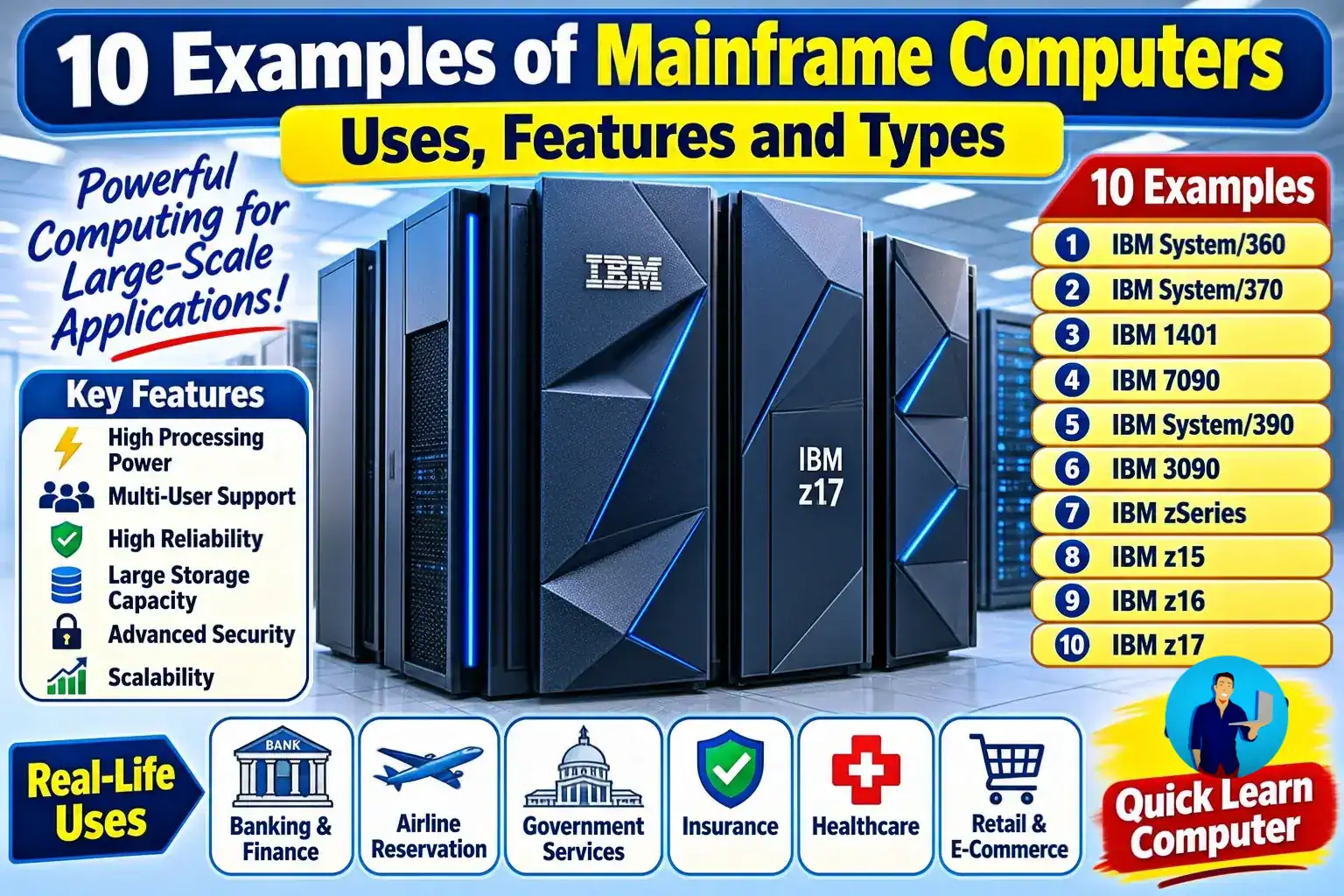
1. IBM System/360
The IBM System/360 is one of the most important examples of a mainframe computer.
Introduced in 1964, it established a common computer architecture across a family of machines. This allowed organizations to use compatible hardware and software across different models.
Important features:
- Introduced a standardized computer architecture.
- Supported different business and scientific applications.
- Offered compatibility across multiple models.
- Helped establish modern enterprise computing.
Uses: Business data processing, scientific calculations, banking operations, and large organizational data management.
2. IBM System/370
The IBM System/370 was introduced in 1970 as the successor to the System/360.
It brought important improvements in memory technology, performance, and computing capabilities. It also supported virtual memory technology, which allowed programs to work with more memory than was physically available to them.
Important features:
- Improved processing performance.
- Advanced memory management.
- Support for virtual memory.
- Compatibility with much of the earlier System/360 software.
Uses: Banking, insurance, business management, financial processing, and large database operations.
3. IBM 1401
The IBM 1401 was introduced in 1959 and became a widely used business computer.
It was designed mainly for commercial data processing. Organizations used it to automate repetitive tasks that previously required considerable manual effort.
Important features:
- Designed for business applications.
- Supported data processing and record management.
- Used punched cards and magnetic tape.
- Helped automate accounting operations.
Uses: Payroll processing, inventory management, customer accounting, and billing.
4. IBM 7090
The IBM 7090 was a transistor-based computer introduced in 1959.
It was designed for scientific and technical applications requiring substantial computational power. It represented an important development in large-scale computing.
Important features:
- Used transistor technology.
- Supported scientific calculations.
- Offered high-speed data processing for its time.
- Was suitable for complex mathematical operations.
Uses: Scientific research, engineering calculations, aerospace applications, and weather-related calculations.
5. IBM System/390
IBM System/390 was introduced in 1990 as an important generation of IBM mainframe technology.
It introduced advanced hardware capabilities and helped organizations modernize their computing infrastructure while continuing to run important business applications.
Important features:
- Advanced CMOS processor technology.
- Improved processing capabilities.
- Support for enterprise applications.
- Better scalability and system reliability.
Uses: Banking, insurance, financial services, enterprise databases, and large-scale business operations.
6. IBM 3090
The IBM 3090 was a powerful mainframe family introduced in 1985.
It was developed for organizations that required high-performance data processing and the ability to handle multiple workloads.
Important features:
- High-performance processor architecture.
- Multiprocessor configurations.
- Large memory capacity.
- Support for demanding enterprise workloads.
Uses: Financial institutions, scientific applications, large business databases, and commercial data processing.
7. IBM zSeries
IBM zSeries is a family of mainframe computers introduced in 2000.
It introduced IBM's 64-bit z/Architecture and continued the development of modern enterprise computing.
Important features:
- 64-bit computing architecture.
- High availability.
- Advanced virtualization capabilities.
- Support for multiple operating systems.
- Enterprise-level security.
Uses: Banking systems, online transactions, insurance applications, and large enterprise databases.
8. IBM z15
IBM z15 is a modern-generation mainframe system announced in 2019.
It introduced important improvements in security, data protection, performance, and enterprise computing capabilities.
Important features:
- Advanced data protection.
- Enterprise-level security.
- High availability.
- Support for hybrid cloud environments.
- Large-scale transaction processing.
Uses: Banking, healthcare, government services, insurance, and enterprise applications.
9. IBM z16
IBM z16 is a mainframe generation introduced in 2022.
It includes the IBM Telum processor, which supports on-chip artificial intelligence acceleration. This allows organizations to perform certain AI-related operations alongside their business transactions.
Important features:
- AI acceleration capabilities.
- Advanced security features.
- High-performance transaction processing.
- Data protection.
- Support for hybrid cloud environments.
Uses: Fraud detection, financial transactions, banking applications, and enterprise data processing.
10. IBM z17
IBM z17 is a newer generation of IBM mainframe technology announced in April 2025.
It was designed with enterprise-scale artificial intelligence capabilities and improvements to business transaction processing.
Important features:
- IBM Telum II processor.
- AI acceleration capabilities.
- Advanced security.
- High-performance enterprise computing.
- Support for modern business applications.
Uses: Financial services, AI-assisted business operations, enterprise transaction processing, and large-scale data management.
Note: These examples include historical mainframe models and modern product generations. Some older models are no longer commercially available, but they remain important examples in computer history.
Features of Mainframe Computers
Mainframe computers have several special features that make them suitable for large organizations.
Let's understand their important features.
1. High Processing Power
Mainframe computers can process enormous amounts of data and handle many transactions simultaneously.
For example, a large bank may need to process thousands of financial transactions while maintaining accurate account records.
2. Multi-User Support
A mainframe computer allows multiple users to access the same centralized computing system.
Different departments can use the same system without requiring a separate computer for every employee.
3. High Reliability
Mainframe computers are designed to operate continuously with minimal interruptions.
They use specialised hardware and software features to detect errors, recover from failures, and maintain system availability.
4. Large Storage Capacity
Mainframes can work with large storage systems to manage enormous amounts of business information.
This includes customer records, financial transactions, employee details, and inventory information.
5. Advanced Security
Security is one of the most important features of mainframe computers.
They support access controls, authentication, encryption, and other security mechanisms to protect sensitive organisational information.
6. Virtualization Support
Virtualization allows one physical computer system to run multiple virtual computing environments.
For example, a mainframe can run different operating systems and applications within separate logical environments.
7. High Scalability
Mainframe computers can be expanded to support increasing workloads.
Organizations can upgrade processing capacity, memory, and other resources as their requirements grow.
8. Continuous Operation
Mainframes are designed for workloads that require dependable, round-the-clock operation.
This makes them particularly useful for banking, airline reservation systems, and other critical services.
Uses of Mainframe Computers
Mainframe computers are used in many industries where large-scale data processing and reliability are essential.
Here are some common uses.
1. Banking and Financial Institutions
Banks use mainframe computers to manage financial transactions and customer information.
Common applications include:
- ATM withdrawals.
- Online banking.
- Credit card transactions.
- Money transfers.
- Customer account management.
For example, when you withdraw money from an ATM, the banking system checks your account balance and processes the transaction.
2. Railway and Airline Reservation Systems
Mainframes can support large reservation systems that manage availability and bookings.
They help organizations maintain reservation records and process booking requests.
3. Government Departments
Government organizations use mainframe systems to manage large databases and important public services.
Examples include:
- Tax records.
- Pension management.
- Government employee records.
- Social security information.
- Public benefit payments.
4. Insurance Companies
Insurance companies use mainframe computers to manage large volumes of customer and policy information.
They are used for:
- Insurance policy management.
- Premium calculations.
- Claims processing.
- Customer records.
- Payment management.
5. Healthcare Organizations
Large healthcare organisations may use mainframe systems to support administrative and information-processing workloads.
Applications include billing, patient information management, and insurance-related processing.
6. Retail and E-Commerce
Large retail organizations use enterprise computing systems to manage sales, inventory, orders, and customer information.
Mainframes can support high-volume transaction processing across multiple stores and online platforms.
7. Business Organizations
Large companies use mainframes to process important business information.
For example, a manufacturing company may use centralized enterprise systems to manage payroll, inventory, orders, and financial records.
Types of Mainframe Computers
Mainframe computers can be classified in different ways according to their size, processing capacity, and intended applications.
Traditionally, mainframes have been described as large, medium, and small systems.
1. Large Mainframe Computers
Large mainframes are designed for organizations that require extremely high processing capacity and support for extensive workloads.
Characteristics:
- Very high processing capacity.
- Support for large numbers of users.
- Extensive storage capabilities.
- Advanced security and reliability.
Examples: Large IBM zSystems configurations used by major financial institutions.
2. Medium Mainframe Computers
Medium-sized mainframes are suitable for organizations that require substantial processing power but do not need the capacity of the largest enterprise installations.
Characteristics:
- Moderate to high processing capacity.
- Support for multiple users.
- Centralized data management.
- Suitable for departmental or medium-scale enterprise workloads.
3. Small Mainframe Computers
Smaller mainframe systems are intended for comparatively limited workloads.
They may serve smaller organizations or specific business operations.
Characteristics:
- Lower processing capacity than large installations.
- Support for multiple users.
- Centralized application management.
- Suitable for smaller enterprise environments.
Important: Large, medium, and small are traditional descriptive categories, not a universal modern product classification.
Modern manufacturers classify their systems using product families, models, and capacity configurations.
Other Classifications Based on Purpose
Mainframe systems can also be discussed according to their workloads.
- General-purpose mainframes: Designed to support different business applications, databases, and transaction-processing workloads.
- Transaction-processing systems: Optimized for handling large volumes of business transactions.
- Special-purpose mainframes: Configured for specific workloads or organizational requirements.
How Does a Mainframe Computer Work?
A mainframe computer works by receiving data and instructions, processing them through its central processing resources, storing information, and providing results to connected users or applications.
Here is a simple explanation of the working process:
- Input: Users enter information through terminals, computers, applications, or connected devices.
- Processing: The mainframe processes the information according to the instructions provided by software.
- Storage: Relevant information is stored in databases or connected storage systems.
- Output: The processed result is sent back to the user or application.
- Security and monitoring: System controls monitor access, protect information, and help maintain reliable operation.
Practical example:
When a customer withdraws money from an ATM:
- The customer enters the ATM card and PIN.
- The ATM sends a request to the banking network.
- The banking application verifies the customer's information.
- The system checks the available account balance.
- The transaction is approved or rejected.
- The account balance and transaction records are updated.
A mainframe may support the centralized processing behind these operations.
Advantages of Mainframe Computers
Mainframe computers offer several advantages for large organizations.
- High reliability: Designed to support continuous business operations.
- Large processing capacity: Can handle enormous volumes of transactions.
- Multi-user support: Many users can access centralized resources.
- Strong security: Provides advanced mechanisms to protect sensitive information.
- Centralized management: Data and applications can be managed through a central system.
- Scalability: Computing resources can be expanded to meet increasing business requirements.
- Efficient transaction processing: Suitable for handling large numbers of business transactions.
- Data management: Supports large databases and important organizational records.
Disadvantages of Mainframe Computers
Despite their advantages, mainframe computers also have some limitations.
- High cost: Purchasing, maintaining, and operating mainframe infrastructure can be expensive.
- Specialized skills: Organizations require trained professionals to manage mainframe systems.
- Complex maintenance: Hardware, operating systems, and applications can require specialized maintenance.
- Power and infrastructure requirements: Large installations need suitable facilities and supporting infrastructure.
- Migration challenges: Moving older mainframe applications to newer platforms can be complicated.
- Vendor dependency: Organizations may depend on particular hardware, software, and support providers.
Difference Between Mainframe and Supercomputer
Mainframe computers and supercomputers are both powerful computing systems, but they are designed for different purposes.
| Basis | Mainframe Computer | Supercomputer |
|---|---|---|
| Main purpose | Large-scale data and transaction processing | Complex scientific calculations |
| Users | Supports many users and applications | Often serves specialized workloads |
| Main applications | Banking, insurance, government | Weather modeling, scientific research |
| Reliability | Designed for continuous business operation | Designed for demanding computational workloads |
| Processing | Handles large transaction volumes | Performs extremely complex calculations |
| Example | IBM z17 | Frontier supercomputer |
Remember: A mainframe is generally used to process large volumes of business transactions, whereas a supercomputer is designed to perform highly demanding computational tasks.
Common Mistakes About Mainframe Computers
During my 5+ years of teaching computer fundamentals, I have noticed that beginners often make a few mistakes when learning about mainframe computers.
Here are some common misunderstandings.
1. Thinking that mainframes and supercomputers are the same
Both are powerful computers, but their primary purposes are different.
2. Believing that mainframes are no longer used
Mainframes continue to support important services in banking, government, insurance, and other industries.
3. Thinking that only one person can use a mainframe
Mainframes are designed to support multiple users and applications simultaneously.
4. Confusing mainframes with personal computers
A desktop computer is generally intended for individual or small-group use, whereas a mainframe supports large-scale organizational workloads.
5. Thinking that every large server is a mainframe
A powerful server is not automatically a mainframe. Mainframes are specialized systems designed for enterprise-scale reliability, security, availability, and transaction processing.
Key Takeaways
- A mainframe computer is a powerful computer designed for large-scale data processing.
- Mainframes support multiple users and applications simultaneously.
- IBM is one of the best-known manufacturers of mainframe computers.
- IBM System/360, System/370, IBM 3090, System/390, IBM z15, IBM z16, and IBM z17 are examples of mainframe systems.
- Mainframes are commonly used in banking, insurance, government, healthcare, and airline reservation systems.
- Important features include high reliability, security, scalability, and processing capacity.
- Mainframes are different from supercomputers because their primary purposes are different.
- Modern mainframes continue to support critical business applications.
Frequently Asked Questions (FAQs)
1. What are 10 examples of mainframe computers?
Ten examples of mainframe computers are:
- IBM System/360
- IBM System/370
- IBM 1401
- IBM 7090
- IBM System/390
- IBM 3090
- IBM zSeries
- IBM z15
- IBM z16
- IBM z17
These examples include historical models and modern mainframe generations.
2. What is the main use of a mainframe computer?
The main use of a mainframe computer is to process large amounts of data, manage business transactions, and support multiple users simultaneously.
They are commonly used in banking, insurance, government, and large business organizations.
3. What are the main features of mainframe computers?
The main features include:
- High processing capacity.
- Multi-user support.
- High reliability.
- Large storage capacity.
- Advanced security.
- Virtualization.
- Scalability.
- Continuous operation.
4. Is IBM a mainframe computer?
IBM is not a mainframe computer. It is a technology company that manufactures mainframe computers.
Examples of IBM mainframe systems include System/360, System/370, IBM z15, IBM z16, and IBM z17.
5. Are mainframe computers still used today?
Yes. Mainframe computers are still used by banks, insurance companies, government departments, and large enterprises.
They support important operations such as financial transactions, account management, and large-scale data processing.
6. What is the difference between a mainframe and a supercomputer?
A mainframe is mainly designed to handle large volumes of transactions and support multiple users, whereas a supercomputer is designed to perform extremely complex scientific and mathematical calculations.
7. Which company is famous for manufacturing mainframe computers?
IBM is one of the most well-known companies in mainframe computing. Its IBM Z product family includes modern enterprise mainframe systems.
8. What are the three traditional types of mainframe computers?
Mainframe computers are traditionally described in three size-based categories:
- Large mainframes.
- Medium mainframes.
- Small mainframes.
These are descriptive categories rather than a universal modern industry standard.
9. Why do banks use mainframe computers?
Banks use mainframes because they require reliable, secure, and high-volume transaction processing.
Mainframes help manage customer accounts, ATM transactions, money transfers, and financial records.
10. What is the difference between a mainframe and a personal computer?
A personal computer is generally designed for individual use, while a mainframe is designed to support many users, applications, and large-scale organizational workloads.
Keep learning with Quick Learn Computer!
