Mini computers played a significant role in the history of computing by providing powerful processing capabilities at a lower cost than mainframe computers.
Although they are less common today, understanding examples of mini computers helps students learn how computer technology has evolved and how modern servers and workstations originated.
During my 5+ years of teaching computer fundamentals, I’ve noticed that many students confuse mini computers with microcomputers because of their similar names.
A simple way I explain this concept is that a mini computer is “mini” only when compared to a mainframe, not compared to a personal computer. In fact, many mini computers are far more powerful than desktop computers.
In this article, you’ll learn what mini computers are, their characteristics, real-world uses, and the most well-known examples.
Table of Contents
What is a Mini Computer?
A mini computer is a medium-sized multi-user computer that is more powerful than a microcomputer (personal computer) but less powerful than a mainframe computer.
It is designed to support multiple users simultaneously, making it suitable for businesses, educational institutions, manufacturing industries, and scientific organizations.
Unlike personal computers, mini computers can process multiple tasks and allow many users to work at the same time.
Simple Definition – A mini computer is a mid-range computer designed to serve multiple users and perform complex tasks efficiently.
Examples of Mini Computers
There are the various most popular and historically important examples of mini computers, which are given below.
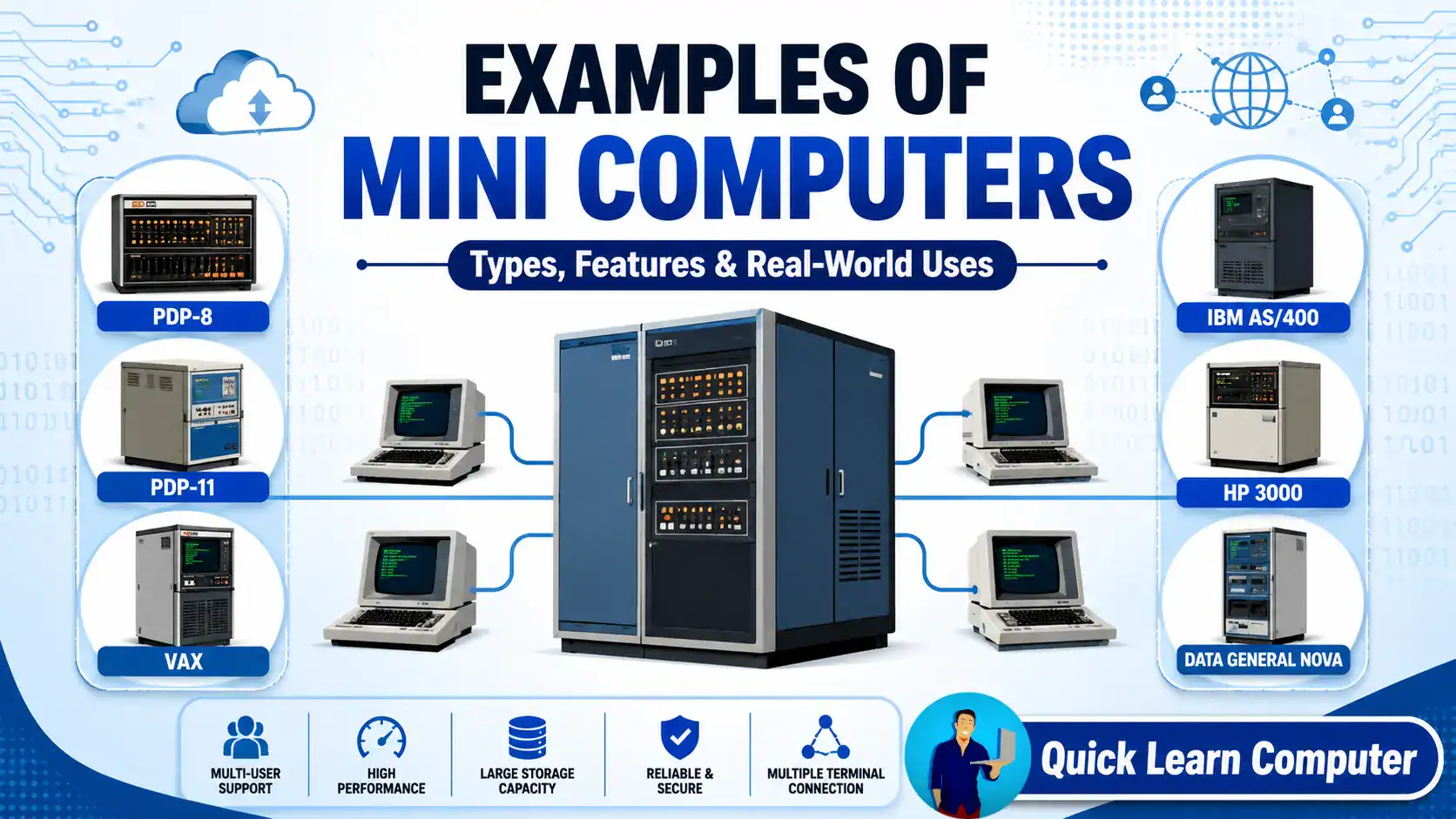
1. PDP-8 (Programmed Data Processor-8)
The PDP-8, introduced by Digital Equipment Corporation (DEC) in 1965, is considered one of the first commercially successful mini computers.
Features
- Affordable compared to mainframes
- Easy to operate
- Used in laboratories and universities
- Supported multiple users
Applications
- Scientific research
- Industrial control systems
- Educational institutions
- Medical equipment
2. PDP-11
The PDP-11 became one of the most influential mini computers ever developed.
It introduced several innovations that influenced modern computer architecture.
Features
- 16-bit architecture
- Multi-user support
- High processing performance
- Flexible operating systems
Applications
- Engineering
- Research centers
- Universities
- Manufacturing industries
3. VAX Series
The VAX (Virtual Address eXtension) series was also developed by Digital Equipment Corporation.
It offered excellent performance and became widely used in enterprise computing.
Features
- Virtual memory support
- Multi-user environment
- Powerful processing
- Large storage capability
Applications
- Government organizations
- Banking
- Hospitals
- Large businesses
4. IBM AS/400
The IBM AS/400, now known as IBM i running on IBM Power Systems, is one of the most successful business-oriented mini computer systems.
Features
- Highly reliable
- Excellent security
- Business application support
- Multi-user processing
Applications
- Banking
- Retail businesses
- Manufacturing
- Enterprise resource planning (ERP)
5. HP 3000
The HP 3000 was developed by Hewlett-Packard and became popular among business organizations.
Features
- Time-sharing support
- Multi-user operating system
- Reliable business computing
- Database management
Applications
- Accounting
- Inventory management
- Business administration
- Hospitals
6. Prime Computer Systems
Prime Computer manufactured several powerful mini computers mainly used in engineering and scientific environments.
Features
- Multi-user support
- Engineering software compatibility
- Reliable networking
Applications
- Universities
- Engineering firms
- Government departments
7. Data General Nova
The Data General Nova was a popular 16-bit mini computer introduced in the late 1960s.
Features
- Compact design
- Low cost
- Reliable performance
- Easy maintenance
Applications
- Laboratories
- Educational institutions
- Industrial automation
Real-Life Example
A manufacturing company may use a mini computer as a central server to manage employee records, inventory, machine data, and production reports. Multiple employees from different departments can access the system simultaneously without slowing it down.
Although modern organisations often use powerful servers instead of traditional mini computers, the concept remains similar.
Features of Mini Computers
Some important characteristics include:
- Supports multiple users simultaneously
- Multi-tasking operating system
- Faster processing than personal computers
- Large memory capacity
- High reliability
- Better storage capability
- Supports multiple terminals
- Used as servers in organizations
- Cost-effective compared to mainframe computers
Applications of Mini Computers
Mini computers are used in many industries because they can handle multiple users and process large amounts of data.
Some common applications include:
Business Organizations
- Payroll processing
- Inventory management
- Customer databases
Educational Institutions
- Computer laboratories
- Student databases
- Research projects
Banking Sector
- Transaction processing
- Customer account management
Hospitals
- Patient record management
- Medical database systems
Manufacturing Industries
- Production monitoring
- Inventory control
- Process automation
Scientific Research
- Data analysis
- Simulation
- Laboratory experiments
Common Mistakes Beginners Make
Many learners initially find this topic confusing because of the word “mini.”
Some common mistakes include:
- Thinking mini computers are smaller than laptops.
- Confusing mini computers with mini PCs.
- Assuming they are outdated and no longer useful.
- Believing only large companies can use them.
Remember, the term mini refers to their size relative to mainframe computers, not modern desktop PCs.
Pro Tips
From my experience teaching beginners, here are a few tips:
- Learn the computer classification hierarchy first.
- Understand the difference between micro, mini, mainframe, and supercomputers.
- Focus on the purpose of each computer type rather than just its physical size.
- Use comparison tables to remember key differences.
Practical Scenario
If a university needs hundreds of students to access the same academic database simultaneously, a multi-user computing system similar to a mini computer architecture can efficiently handle those requests.
Modern servers often perform this role, but they are based on many of the same multi-user computing principles introduced by mini computers.
Frequently Asked Questions (FAQs)
1. Give five examples of mini computers.
Five common examples are:
- PDP-8
- PDP-11
- VAX
- IBM AS/400
- HP 3000
2. Is IBM AS/400 a mini computer?
Yes, IBM AS/400 is one of the most well-known business-oriented mini computer systems.
3. What is the difference between a mini computer and a microcomputer?
A mini computer supports multiple users and has greater processing power, while a microcomputer is generally designed for a single user.
4. Are mini computers still used today?
Traditional mini computers are rare, but their role has largely been replaced by modern enterprise servers and mid-range systems.
5. Where are mini computers used?
They are used in banking, education, healthcare, manufacturing, research, and enterprise computing.
6. Which company developed the PDP-11?
The PDP-11 was developed by Digital Equipment Corporation (DEC).
7. Why are mini computers important?
They introduced affordable multi-user computing and influenced the development of modern servers.
8. Can a mini computer support multiple users?
Yes, Supporting multiple users simultaneously is one of its key features.
9. What are the advantages of mini computers?
Advantages include high reliability, multi-user support, better performance than personal computers, and efficient handling of business applications.
