Digital computers have become an essential part of our everyday lives. From smartphones and laptops to banking systems, hospitals, railway reservations and large scientific research centres, digital computers are used almost everywhere.
Whether you are studying computer fundamentals, preparing for a competitive examination or simply learning about technology, understanding digital computers is important.
But what exactly is a digital computer? What are its different types? Can you identify some common examples of digital computers around you?
In this article, I will explain the meaning, characteristics, examples, types and uses of digital computers in simple language, along with practical examples to help you understand the concept easily.
What Is a Digital Computer?
A digital computer is an electronic device that accepts data, processes it according to a set of instructions and produces meaningful results.
It works with digital data, which is represented using binary digits (0 and 1). These binary digits are also known as bits.
For example, when you use a calculator to add 25 and 15, you enter the numbers using the keyboard or touchscreen.
The computer processes the information and displays the result, which is 40.
Similarly, when you type a document in Microsoft Word, browse the internet or watch a video, a digital computer processes different types of data to perform these tasks.
Read Also - What is Computer System
Simple Definition of a Digital Computer
A digital computer is an electronic machine that processes information in binary form (0 and 1) and provides accurate results according to programmed instructions.
What Does a Digital Computer Do?
A digital computer generally performs four basic computer operations:
Input: Accepts data and instructions from the user.
Processing: Performs calculations and other operations on the received data.
Output: Displays or presents the processed information.
Storage: Saves data and information for future use.
These operations are commonly explained through the Input-Process-Output-Storage (IPOS) cycle.
Read Also - Functions of Computer System
10 Examples of Digital Computers
There are many examples of digital computers that we use in our daily lives. Some are designed for personal use, while others are developed to perform complex scientific and business operations.
Here are some common examples.
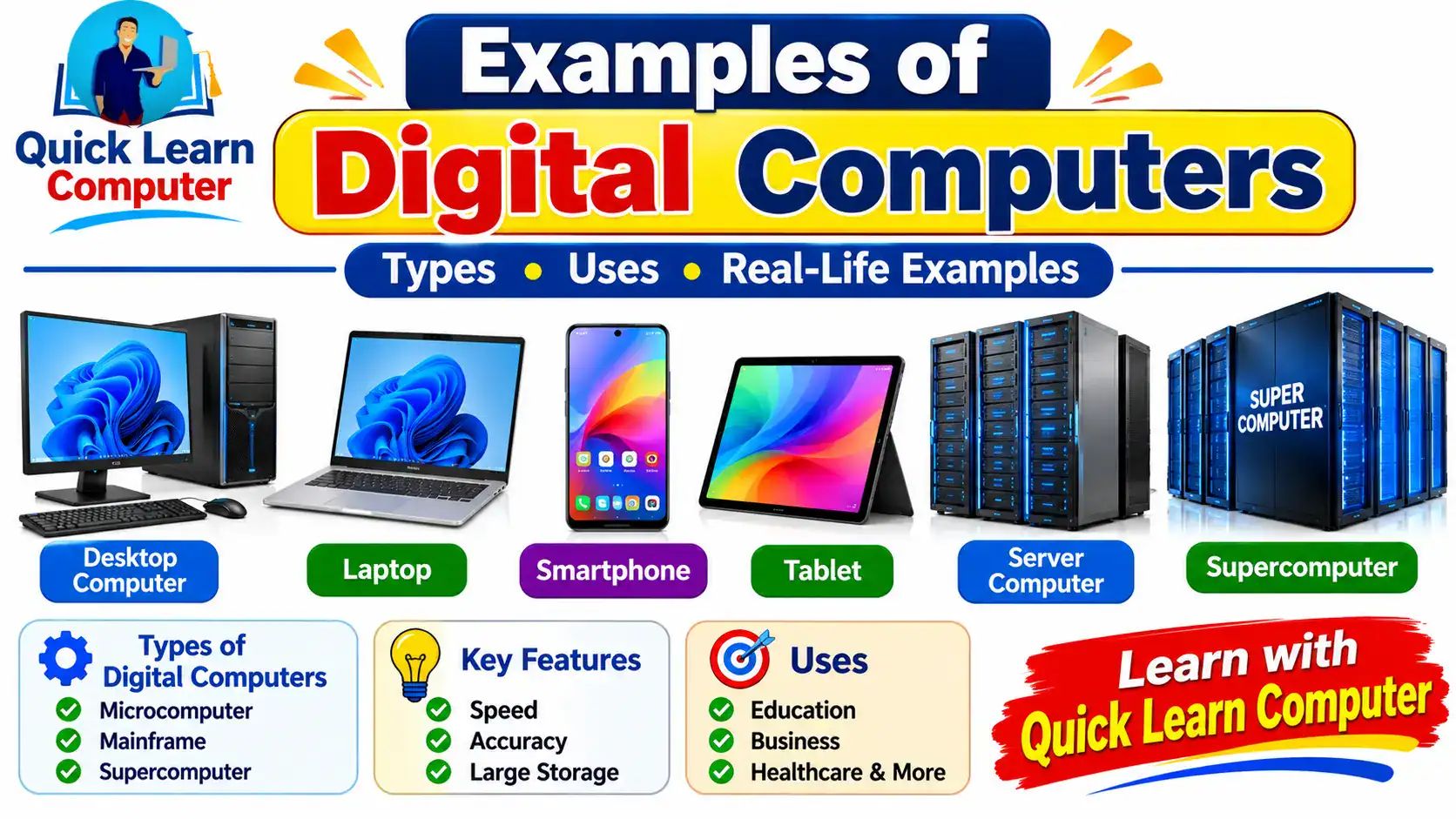
1. Desktop Computer
A desktop computer is a personal computer designed to be used on a desk or fixed workstation. It generally consists of a monitor, keyboard, mouse and system unit.
Read Also - Parts of Desktop Computer
Uses:
- Office work.
- Online education.
- Internet browsing.
- Gaming.
- Graphic designing.
- Accounting.
2. Laptop Computer
A laptop is a portable computer that combines a display, keyboard, touchpad, processor and battery in one compact device.
Students, teachers, office employees and business professionals commonly use laptops.
Read Also: Who Invented the Laptop?
Uses:
- Online classes.
- Creating presentations.
- Programming.
- Video conferencing.
- Working while travelling.
3. Smartphone
A smartphone is a handheld digital computing device that combines communication features with computing capabilities.
Modern smartphones can run applications, browse websites, capture photographs, play games and perform many computer-related tasks.
Uses:
- Making calls.
- Sending messages.
- Online payments.
- Social media.
- Photography.
- Navigation.
4. Tablet Computer
A tablet is a portable touchscreen digital computer. It is generally larger than a smartphone and smaller than many laptops.
Uses:
- Reading digital books.
- Watching educational videos.
- Attending online classes.
- Drawing and designing.
- Browsing the internet.
5. Supercomputer
A supercomputer is an extremely powerful computer designed to perform highly complex calculations and process enormous amounts of data.
It is mainly used by scientists, researchers and government organisations.
Read Also - Examples of Supercomputers
- Weather forecasting.
- Climate research.
- Space exploration.
- Scientific simulations.
- Medical research.
6. Mainframe Computer
A mainframe computer is a powerful computer system designed to handle large amounts of data and support many users and transactions simultaneously.
Banks, insurance companies and large government organisations use mainframe systems.
Read Also - Examples of Mainframe Computers
Uses:
- Banking transactions.
- Railway reservation systems.
- Insurance databases.
- Large-scale business operations.
- Government record management.
7. Server Computer
A server is a computer system that provides data, resources or services to other computers over a network.
For example, when you visit a website, your browser sends a request to a web server, which provides the requested webpage.
Uses:
- Hosting websites.
- Managing databases.
- Storing files.
- Running business applications.
- Managing network resources.
8. Digital Calculator
A digital calculator is an electronic device that performs mathematical calculations using digital circuits.
Uses:
- Addition.
- Subtraction.
- Multiplication.
- Division.
- Scientific calculations.
9. ATM (Automated Teller Machine)
An ATM is an electronic banking terminal that uses digital computing technology to provide banking services.
It communicates with banking systems to process customer transactions.
Uses:
- Cash withdrawal.
- Balance enquiries.
- Mini statements.
- PIN-related services.
- Other supported banking transactions.
10. Smart TV
A smart television is a television with integrated computing and internet connectivity features.
It can run applications, stream online videos and access internet-based entertainment services.
Uses:
- Watching online movies.
- Streaming videos.
- Browsing supported applications.
- Playing digital media.
Real-Life Example of a Digital Computer
Consider an online banking transaction.
When a customer transfers money using a banking application, several digital computing operations take place.
The customer enters the recipient's details and transfer amount.
The banking application sends the transaction request to the banking system.
The system verifies the required information and performs security checks.
The banking system processes the transaction according to its rules.
The application displays the transaction status.
The transaction details are recorded in the banking system.
This practical example shows how digital computers are used in everyday financial activities.
How Does a Digital Computer Work?
A digital computer works by processing information using electronic circuits and binary signals.
It understands information through two basic states:
0: Represents the OFF state.
1: Represents the ON state.
These states are used to represent numbers, letters, images, videos and other types of information.
Read Also - Functional Units of Computer
Working Process of a Digital Computer
The following steps explain how a digital computer works:
Step 1: Input
The user provides information through input devices such as a keyboard, mouse, scanner or touchscreen.
Step 2: Processing
The Central Processing Unit (CPU) processes the received data according to the given instructions.
Step 3: Output
The computer displays the processed information through output devices such as monitors, printers and speakers.
Step 4: Storage
The computer saves information on storage devices such as hard disk drives (HDDs), solid-state drives (SSDs) and USB flash drives.
Practical Example:
When you calculate 100 + 200 using a computer:
Input: You enter 100 + 200.
Processing: The CPU performs the calculation.
Output: The screen displays 300.
Storage: You can save the result in a document if required.
This is how a digital computer processes information.
Characteristics of Digital Computers
Digital computers have several important characteristics that make them useful in education, business, science and everyday activities.
Read Also - Characteristics of Computer In Detail
Let's understand their main features.
1. High Speed
Digital computers can perform millions or billions of operations in a very short time, depending on their processing capabilities.
For example, a computer can calculate large mathematical problems much faster than a human being.
2. Accuracy
Digital computers produce highly accurate results when they receive correct data and instructions.
However, incorrect input or programming errors can also produce incorrect results.
3. Storage Capacity
Digital computers can store large amounts of information.
For example, a computer can store documents, photographs, videos, software and databases.
4. Automation
Once instructions are provided, a digital computer can perform tasks automatically without requiring continuous human intervention.
For example, payroll software can automatically calculate employee salaries according to predefined rules.
5. Versatility
A digital computer can perform different types of tasks.
The same computer can be used for:
Creating documents.
Watching videos.
Playing games.
Managing business accounts.
Learning online.
Designing graphics.
Programming applications.
6. Reliability
Digital computers can perform repetitive tasks consistently when their hardware and software are functioning correctly.
7. Diligence
Unlike humans, computers do not become tired or bored while performing repetitive operations. They can continue working for long periods with proper maintenance and power supply.
Types of Digital Computers
Digital computers can be classified into different categories based on their size, processing power, performance and intended applications.
The major types are explained below.
1. Microcomputer
A microcomputer is a small digital computer that uses a microprocessor as its central processing unit. It is generally designed for individual users.
Read Also - Types of Microcomputers
Examples:
Desktop computers.
Laptop computers.
Personal computers.
Tablets.
Uses:
Education.
Office work.
Internet browsing.
Personal entertainment.
Small business operations.
2. Minicomputer
A minicomputer is a mid-range computer system that was traditionally used by organisations and departments to support multiple users.
It offered more processing and multi-user capabilities than typical personal computers of its time.
Read Also - Examples of Mini Computers
Uses:
Industrial applications.
Departmental data processing.
Scientific research.
Business operations.
Note: Minicomputers are largely a historical category today. Modern servers and other systems perform many of their traditional functions.
3. Mainframe Computer
A mainframe is a powerful computer designed for large-scale data processing, high reliability and handling numerous transactions.
Examples of applications:
Banking systems.
Airline reservation systems.
Government databases.
Large insurance organisations.
4. Supercomputer
A supercomputer is designed to perform extremely demanding computational tasks at very high speeds.
It uses powerful processors and parallel processing techniques to solve complex problems.
Examples of applications:
Weather prediction.
Space research.
Nuclear simulations.
Artificial intelligence research.
Scientific modelling.
Comparison of Different Types of Digital Computers
| Type | Main Feature | Common Application |
|---|---|---|
| Microcomputer | Designed for individual users | Education and office work |
| Minicomputer | Historically supported multiple users | Departmental processing |
| Mainframe | Handles large-scale transactions | Banking and business |
| Supercomputer | Extremely high computational performance | Scientific research |
Uses of Digital Computers in Daily Life
Digital computers play an important role in almost every industry. Their applications are not limited to offices or educational institutions.
Let's understand some important uses.
1. Education
Digital computers have transformed modern education.
Students and teachers use computers for:
Online classes.
Preparing assignments.
Creating presentations.
Digital examinations.
Research and e-learning.
Preparing study materials.
For example, teachers use Microsoft PowerPoint to explain topics through presentations.
2. Banking
Banks use digital computers to manage financial transactions and customer information.
Common applications include:
ATM services.
Internet banking.
Mobile banking.
Fund transfers.
Account management.
Transaction records.
3. Healthcare
Hospitals and healthcare centres use digital computers to manage patient information and support medical services.
Examples include:
Electronic health records.
Appointment management.
Medical imaging.
Laboratory reporting.
Hospital administration.
4. Business and Offices
Digital computers help businesses perform daily operations efficiently.
They are used for:
Preparing invoices.
Maintaining employee records.
Managing accounts.
Creating reports.
Inventory management.
Customer relationship management.
5. Communication
Digital computers make communication faster and easier.
People use computers and smartphones for:
Email.
Video conferencing.
Instant messaging.
Social networking.
Online meetings.
6. Science and Research
Scientists use powerful digital computers to analyse information, perform calculations and conduct research.
Supercomputers are particularly useful for complex simulations and scientific calculations.
7. Entertainment
Digital computers are widely used in the entertainment industry.
Examples include:
Online gaming.
Watching movies.
Listening to music.
Video editing.
Animation.
Graphic designing.
8. Transportation
Digital computers support modern transportation systems.
They are used in:
Railway reservation systems.
Airline booking.
Traffic management.
Vehicle navigation.
Logistics and tracking.
9. Government Services
Government departments use digital computers to maintain records and provide online services.
Examples include:
Online applications.
Digital identity services.
Tax management.
Public information portals.
Government databases.
10. Weather Forecasting
Weather forecasting organisations use digital computers to process information collected from satellites, weather stations and other observation systems.
Powerful computing systems help meteorologists create weather prediction models.
Advantages of Digital Computers
Digital computers provide many benefits in personal and professional life.
Some important advantages include:
Fast processing: They perform calculations and data processing quickly.
High accuracy: They produce accurate results when the input and instructions are correct.
Large storage: They can store huge amounts of digital information.
Automation: They can perform repetitive tasks automatically.
Multitasking: Many modern computers can run multiple applications simultaneously.
Communication: They make information sharing easier.
Versatility: They support different types of applications.
Productivity: They help individuals and organisations complete work efficiently.
Disadvantages of Digital Computers
Although digital computers are extremely useful, they also have certain limitations.
Security risks: Computers can be affected by viruses, malware and cyberattacks.
Power dependency: Most digital computers require electrical power or a charged battery.
Maintenance costs: Hardware repairs and software maintenance can be expensive.
Data loss: Important information may be lost due to hardware failure or accidental deletion.
Privacy concerns: Improper handling of personal information can create privacy risks.
Human dependency: Computers require human instructions, software and proper configuration to perform useful tasks.
Health concerns: Excessive screen time and poor computer ergonomics can cause discomfort.
Difference Between Digital and Analog Computers
Digital and analog computers are two different categories of computing systems.
The main difference is the way they represent and process information.
A digital computer works with discrete values, usually represented in binary form, whereas an analog computer works with continuously varying physical quantities.
| Basis | Digital Computer | Analog Computer |
|---|---|---|
| Data representation | Discrete values | Continuous values |
| Signals | Digital signals | Analog signals |
| Accuracy | Generally high, depending on input and design | Affected by noise and component limitations |
| Processing | Uses digital logic | Uses continuous physical quantities |
| Examples | Laptop, desktop, smartphone | Analog differential analyser |
| Applications | Banking, education, business | Certain scientific and measurement systems |
Simple Example:
A digital thermometer displays temperature as a numerical value, such as 25°C.
A traditional liquid-in-glass thermometer indicates temperature through the continuous movement of liquid along a marked scale.
This comparison helps explain the difference between digital and analog representation.
Common Mistakes About Digital Computers
During my computer teaching experience, I have noticed that beginners sometimes confuse digital computers with other types of computing devices.
Here are some common mistakes to avoid.
Mistake 1: Thinking Only Desktop Computers Are Digital Computers
Many beginners believe that digital computers are limited to desktop systems.
Correct explanation: Laptops, smartphones, tablets, servers and many other electronic computing devices are also examples of digital computers.
Mistake 2: Confusing Mainframe and Supercomputer
Students sometimes think that mainframes and supercomputers perform exactly the same tasks.
Correct explanation: Mainframes are primarily designed for reliable large-scale transaction processing and supporting many users, whereas supercomputers are designed for highly demanding computational tasks.
Mistake 3: Thinking Computers Always Give Correct Results
A computer can produce incorrect results if incorrect information or instructions are provided.
Correct explanation: The quality of the output depends on the correctness of the input, instructions and processing system.
Mistake 4: Confusing Digital and Analog Computers
Both types process information, but they represent data differently.
Correct explanation: Digital computers work with discrete values, while analog computers work with continuous quantities.
Pro Tips for Students
If you are preparing for school examinations, computer fundamentals tests or competitive examinations, remember these important points.
Learn the definition of a digital computer.
Remember that digital computers use binary digits (0 and 1).
Understand the four basic operations: Input, Processing, Output and Storage.
Memorise examples such as desktop computers, laptops, smartphones and supercomputers.
Understand the difference between mainframe and supercomputer.
Practise writing the advantages and disadvantages of digital computers.
Classroom Insight
A simple way I explain this concept to beginners is by comparing a digital computer with a student completing a mathematics problem.
First, the student receives the question, then performs the calculation and finally writes the answer.
Similarly, a digital computer accepts input, processes the information and produces output.
This simple comparison helps students understand the basic working principle without memorising complicated technical definitions.
Key Takeaways
Here are the most important points to remember about digital computers:
A digital computer is an electronic device that processes information in digital form.
It uses binary digits (0 and 1) to represent information.
Its four basic operations are Input, Processing, Output and Storage.
Digital computers are known for speed, accuracy, automation, versatility and storage capacity.
Desktop computers, laptops, smartphones, tablets, ATMs and servers are common examples.
Microcomputers, minicomputers, mainframes and supercomputers are traditional classifications based on computing size and capabilities.
Digital computers are used in education, banking, healthcare, business, transportation and scientific research.
Digital computers process discrete data, while analog computers process continuous quantities.
Frequently Asked Questions (FAQs)
1. What are the four basic functions of a digital computer?
The four basic functions are Input, Processing, Output and Storage. These operations allow a computer to accept data, process it, display results and save information.
2. What are the main types of digital computers?
The traditional classifications include microcomputers, minicomputers, mainframe computers and supercomputers. These categories differ in processing capabilities, size and applications.
3. Is a laptop a digital computer?
Yes. A laptop is a digital computer because it processes information using binary data and performs tasks according to programmed instructions.
4. Is a mobile phone a digital computer?
Yes. A modern smartphone is a digital computing device. It can process information, run applications, store data and connect to the internet.
5. What is the main difference between digital and analog computers?
A digital computer processes discrete data, usually represented using binary digits, whereas an analog computer processes continuously varying physical quantities.
6. Why are digital computers important in everyday life?
Digital computers make everyday activities easier by supporting communication, education, banking, healthcare, business, entertainment, transportation and online services.
